
-
 info@arablabels.com
 - September 17, 2026
- No Comments

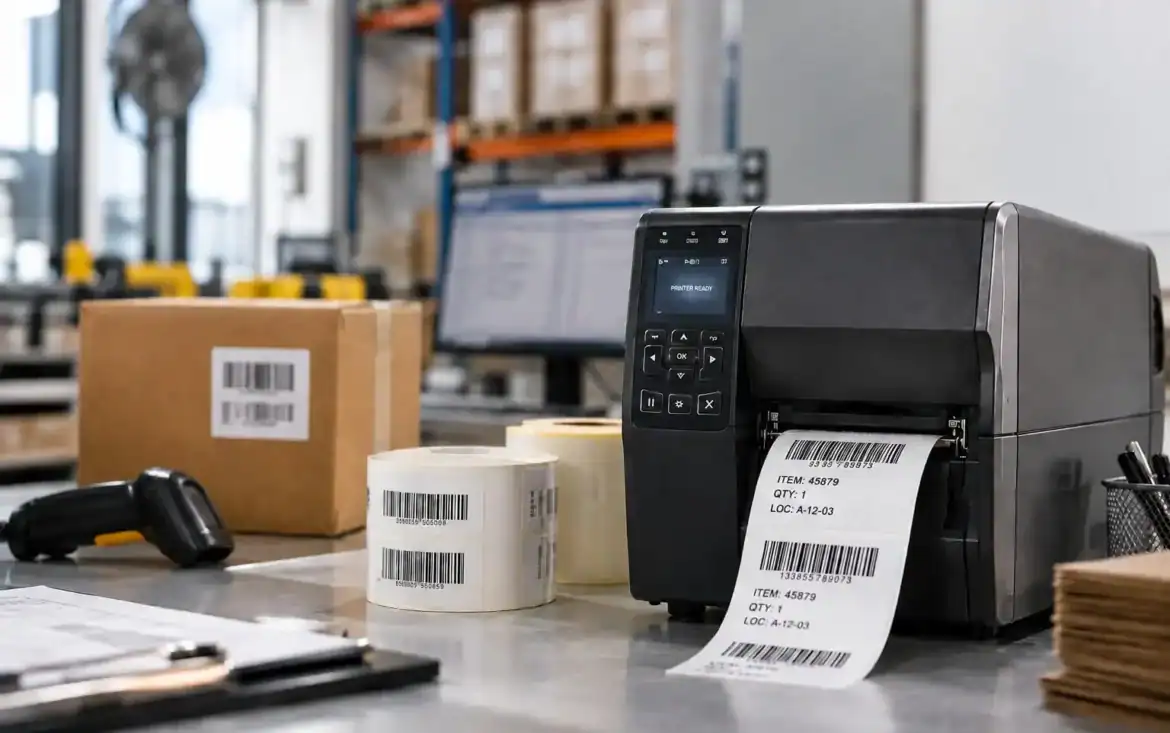
Barcode labels play an important role in identifying products, tracking inventory, managing assets and keeping everyday operations organised. When a barcode is unclear, poorly printed or easily damaged, even a simple scanning process can lead to delays, errors and unnecessary reprints.
For businesses relying on Barcode Labels UAE, consistent print quality is essential for smooth and accurate operations. The quality of a barcode depends on more than the printer itself. Resolution, printing technology, label material, ribbon selection, print settings, calibration and regular maintenance all contribute to the final result.
The same applies to businesses sourcing Barcode labels Ajman, where choosing a printing machine based on the application, label requirements, and expected print volume can make a significant difference in performance and reliability.
Why Does Barcode Label Quality Matter?
Here’s the tricky part: a barcode can look completely fine to the eye and still give a scanner a hard time.
A faint bar, an uneven edge, poor contrast or a damaged section can all get in the way of readability. In a warehouse, that might mean an operator scanning the same item two or three times. At checkout, it slows things down. In shipping and logistics, poor labels can cause hold-ups during receiving, sorting, or dispatch.
And the problem only gets more noticeable as volume goes up. Once a business is printing thousands of labels a day, even a small percentage of scan failures adds up to real rework.
Consistent, good-quality barcode printing supports:
- Accurate product identification
- More reliable inventory records
- Faster warehouse processing
- Smoother shipping and receiving
- Less manual data entry
- Fewer reprints and scanning errors
This is exactly why barcode quality carries so much weight across the UAE’s fast-growing retail, logistics, e-commerce, manufacturing, and distribution sectors.
Start with the Right Printing Technology
Before anything else, it’s worth thinking through the printing method itself.
The two most common thermal technologies are direct thermal and thermal transfer, and neither one is automatically the “better” choice. Each suits a different job.
Direct Thermal Printing
Direct thermal printers create an image using heat applied directly to heat-sensitive label material. No ribbon is involved, which keeps things simple and often more affordable for short-term labeling needs.
Shipping labels are a good example. If a label only has to stay legible while a parcel moves through the delivery chain, direct thermal is usually a practical fit.
The trade-off is durability. Direct thermal material doesn’t hold up well under prolonged heat, UV exposure, or other tough environmental conditions — something worth keeping in mind in the UAE, especially for labels that travel in vehicles or sit in uncontrolled temperatures.
Thermal Transfer Printing
Thermal transfer works a bit differently. A heated printhead transfers ink from a ribbon onto the label surface.
This method tends to be the better option when a label needs to stay readable for longer or hold up under harsher conditions. Depending on the ribbon and substrate used, thermal transfer labels can resist moisture, abrasion, chemicals, and general wear far better.
That’s why they’re often the go-to for asset labels, industrial identification, warehouse labels, product labels, and long-term inventory use. At the end of the day, the choice comes down to what job the label actually needs to do.
Match Printer Resolution to the Label
Printer resolution is measured in DPI — dots per inch — and it determines how finely the printer can render detail.
For most standard applications, 203 DPI does the job well. It works fine for larger shipping labels and common 1D barcodes.
Step up to 300 DPI when printing smaller barcodes or retail labels that need finer detail.
For very small, high-density 2D codes — certain QR codes or DataMatrix formats, for instance — 600 DPI may be worth considering. That extra resolution keeps small elements distinct instead of blurring together.
That said, higher isn’t always better. A business printing large warehouse labels probably won’t gain much from a 600 DPI printer. The resolution should match the actual label size and barcode requirements, not the other way around.
Don’t Ignore the Label Material
The surface a barcode is printed on has a direct impact on how well that print holds up over time.
For indoor use with a relatively short shelf life, standard paper labels usually get the job done. They’re common for shipping, inventory, cartons, and general product ID. But when labels need to survive moisture, abrasion, chemicals, or outdoor exposure, synthetic materials like polyester or polypropylene tend to perform better.
This matters a lot for UAE businesses in particular. A label sitting inside an air-conditioned office deals with completely different conditions than one attached to an asset out in a warehouse yard or transport vehicle.
Adhesive quality matters too — a sharp, durable print doesn’t help much if the label itself lifts, peels, or tears during handling.
Select the Correct Thermal Transfer Ribbon
When using thermal transfer printing, the ribbon and the label material need to be matched properly. Wax ribbons generally work well with paper labels in controlled indoor settings where extreme durability isn’t a priority.
Wax-resin ribbons strike a balance — decent print quality with added resistance to handling and environmental wear. Resin ribbons are built for tougher jobs and are usually paired with synthetic materials, offering stronger resistance to abrasion, chemicals, moisture, and harsh conditions.
Get the ribbon wrong, and the results show up as smudging, fading, weak definition, or poor durability. Sometimes the printer itself is perfectly capable of a sharp barcode — it’s the consumables holding it back.
Find the Right Balance Between Speed and Darkness
Printer settings are one of those things that get overlooked once the machine is up and running.
Printing at very high speed can soften the definition of fine barcode lines. Pushing darkness or heat too far can cause its own issues, making printed areas spread or bleed. A safer approach is to start with the manufacturer’s recommended settings and adjust in small steps from there.
If the print looks too light, nudge the darkness up gradually. If barcode edges look fuzzy, try slowing the print speed instead of just cranking the heat. Technical guidance generally recommends adjusting these settings together rather than relying on heat alone.
The goal isn’t the darkest possible print — it’s a clean, consistent one.
Keep Enough Contrast and Quiet Space
Barcode design plays its own part in how reliably a code scans.
Scanners need a clear distinction between the bars and the background, so strong contrast matters. Dark bars on a light background remain the safest, most practical choice for most applications.
Equal attention should go to the empty space surrounding the barcode — known as the quiet zone. Crowding that space with text, borders, or graphics makes scanning noticeably harder.
This becomes especially important on small labels, where there’s often pressure to squeeze in as much information as possible. Saving a few millimetres of space rarely pays off if it comes at the cost of readability.
Calibrate the Printer When You Change Media
A barcode printer needs to know exactly where one label ends and the next begins.
Switch label size, gap, black mark, or media type without recalibrating, and the print position can drift — labels coming out too high, too low, or misaligned.
Regular calibration matters most for businesses juggling several label formats. It helps the printer correctly read the media and cuts down on wasted labels from positioning errors.
Sensor calibration is part of this too, particularly whenever different media configurations come into play.
Give the Printhead Regular Attention
The printhead is one of the most critical components in a thermal printer — and also one of the most exposed to wear from everyday use.
Dust, adhesive residue, paper particles, and ribbon deposits build up over time. A dirty or worn printhead can leave thin white lines, uneven patches, or missing sections in a printed barcode. Even a tiny defect running through a barcode is enough to throw off a scan.
Regular cleaning and inspection go a long way toward preventing this. High-volume operations should also keep an eye on printhead condition and swap out worn components before they become a recurring headache.
Plan for QR Codes and 2D Barcodes
Barcode printing isn’t standing still. Traditional 1D barcodes are still everywhere, but more businesses are moving toward QR codes, DataMatrix codes, RFID, and other identification technologies.
GS1‘s Sunrise 2027 initiative is pushing this shift further, supporting the move to 2D barcodes that can carry richer information — batch numbers, expiry dates, serial numbers, and more.
For any business buying a new barcode printer today, it’s worth thinking a step ahead. The machine may eventually need to handle smaller codes, higher resolutions, different label materials, or tighter integration with inventory and warehouse systems.
That doesn’t mean every company needs a top-tier printer right now — just that the purchase shouldn’t be based purely on today’s most basic requirement.
Conclusion
Improving barcode label quality rarely comes down to simply buying a pricier printer. The real gains usually come from getting a handful of smaller decisions right — choosing the appropriate printing technology, matching resolution to the barcode, picking suitable label material and ribbon and keeping printer settings properly calibrated.
For businesses using Barcode Labels UAE, these details add up to a noticeable difference in scanning reliability, inventory accuracy, warehouse productivity and day-to-day operations.
Businesses looking for Barcode labels Ajman should also weigh the environment the labels will face, expected print volume, required durability and future barcode needs before settling on a machine.
A well-matched printing system produces labels that simply do their job without creating extra work down the line. That’s really what good barcode printing comes down to: clear identification, dependable scanning and fewer interruptions to daily operations.